
How to Manage a Tuition Class Without a Paper Register
Last updated: 3 September 2026
Most tuition teachers in India run on paper, and for a long time that is the right choice. A register costs forty rupees, never runs out of battery, and works in a power cut.
Then the class grows, and one evening you find yourself flipping back through six weeks of pages trying to work out whether Riya's mother paid for July or August. That is the moment paper stops being the cheap option.
This page is about what to do next — what actually goes wrong, what to move first, and what is honestly fine to leave on paper.
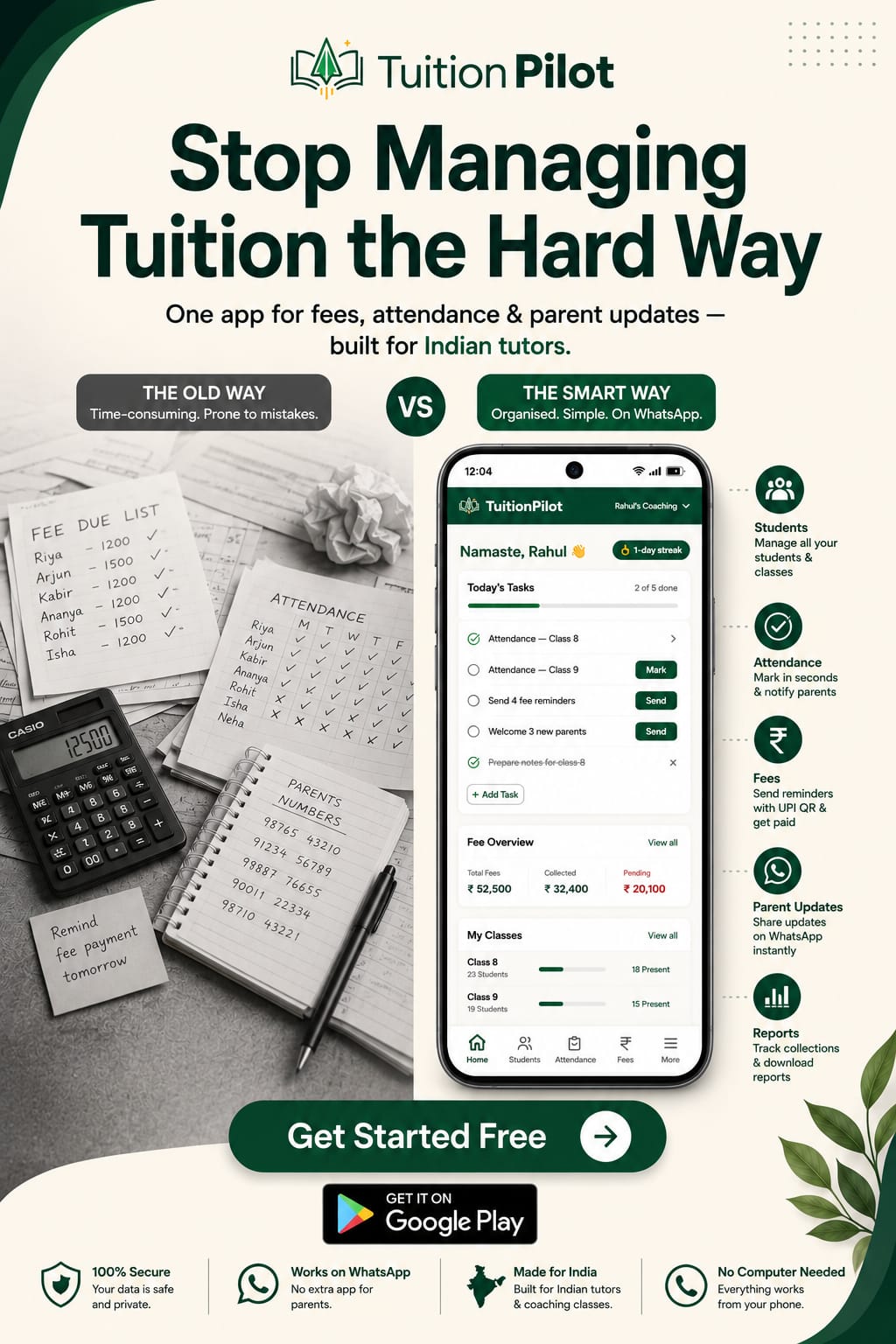
What actually goes wrong with a register
It is worth being specific, because "get organised" is not useful advice. Four things break, and they break in a particular order.
It cannot answer "who has not paid?" Not quickly. You have to read every line and hold the answer in your head. So most teachers stop asking the question in the middle of the month, which is exactly when asking it would still help.
There is only one copy. A register that gets soaked, lost, or left at the centre over a holiday takes your entire fee history with it. There is no second copy anywhere.
It cannot send anything. Every reminder, every receipt, every absent alert has to be typed out by you, one parent at a time, from a number you have to find first.
It has no memory you can search. When a parent says "we already paid for August", the register can settle it — but only if you wrote it down, and only if you can find the page.
Notice that none of these are about being disorganised. They are limits of the paper itself.
The five-step switch
The mistake almost everyone makes is trying to move everything in one evening, getting halfway, and going back to the book. Do it in this order instead.
Step 1: Move the student list, and nothing else
One list: student name, parent's WhatsApp number, class, monthly fee. That is the foundation — until it exists and you trust it, nothing else can be automated.
If your list is already in a spreadsheet you can usually import it directly. Some apps will even read a photograph of your register and pull the names out. Everything else stays on paper this week.
Step 2: Run both systems for one month
Keep marking the register exactly as you do now, and mark it on the phone too. Yes, it is duplicate work for a few weeks.
It is also the step that makes the switch actually happen. The real reason teachers do not move off paper is fear of losing records, and one month of overlap removes that fear in the only way that works — by proving it.
Step 3: Move fees next, before attendance
Fees first, because that is where the money is. Generate the month's fees, send each parent a reminder with your UPI QR code attached, and mark payments as they arrive.
Do this one step and you will usually collect more this month than last, simply because the reminders actually went out. Attendance can wait a few weeks.
Step 4: Let the routine messages send themselves
Absent alerts and payment receipts are the messages you mean to send and forget when you are teaching six hours a day. Once they are automatic, parents stop asking where their receipt is, and you stop apologising for not sending one.
Step 5: Retire the register — but keep it
After one month in which the phone answered every question correctly, stop writing in the book.
Do not throw it away. Put it in a drawer. It is your record of the year before you switched, and you will look at it perhaps twice more in your life — but you will be glad both times.
What to keep on paper
Not everything should move, and it is worth saying so plainly.
- Lesson plans. Faster to scribble than to type, and nobody needs to search them next year.
- Marks written during a test. You are walking around the room. Use paper.
- Notes about a student. "Weak in trigonometry, confident in algebra" belongs wherever you will actually write it. If that is the margin of a notebook, fine.
What should move are the things that need to be searchable, shareable or sendable: who owes what, who attended, and what went to which parent.
How to choose, without regretting it later
Two questions matter more than any feature list.
Can your data come back out? Student lists and fee history should export to Excel or CSV whenever you want them. If they cannot, you are not a customer — you are locked in.
Does the app touch your fee money? There is a real difference between a parent paying you directly by UPI and a platform collecting on your behalf and settling later. Direct is simpler, faster, and there is no third party to chase if something goes wrong.
We have written more about this in what tuition management software should cost, including the five pricing models and what to pay at your size.
Where TuitionPilot fits
TuitionPilot is built for exactly this switch, on a phone, with no computer involved.
- Import your class from Excel, Google Sheets, CSV or Notion — or photograph your register and let it read the names.
- Fee reminders on WhatsApp with your own UPI QR code attached, so parents pay you directly.
- Attendance in seconds, with absent alerts going to parents automatically.
- Receipts sent on their own when you mark a fee paid.
- A monthly report of who paid and who did not, downloadable as Excel.
Parents pay you directly by UPI. We never hold or route your money, and we take no cut of your fees. Your records export to Excel whenever you want them.
→ Try TuitionPilot free at tuitionpilot.in
→ Download TuitionPilot on Google Play
Read next
- Student attendance app for tuition classes — what attendance is for, and whether to send absent alerts.
- How to collect tuition fees on time — the five-step monthly system.
- Tuition fee receipt format — what a receipt must include, with templates.
- WhatsApp fee reminder templates for tuition teachers — when to send each message.
- What tuition management software should cost — the five pricing models.
- Free software for coaching classes — the four kinds of "free", and what each one actually costs you.
- Fee reminder messages to parents — 7 templates in English and Hindi.
Frequently asked questions
What is wrong with keeping a paper register for tuition?
Nothing, until the class grows. A register works well for a handful of students. The problems appear at around fifteen or twenty: it cannot tell you who has not paid without you reading every line, it exists in only one copy, and it cannot send a parent anything.
Do I need a computer to manage a tuition class?
No. Everything an independent tuition teacher needs — student records, attendance, fees, receipts and parent messages — runs on an ordinary Android phone. A computer is only genuinely useful for a large institute with staff and branches.
Will I lose my records if I move to an app?
Not if you switch properly. Run both the register and the app together for one month, and choose an app that lets you export your students and fee history to Excel or CSV whenever you want. If your data cannot come back out, do not put it in.
How long does it take to move a tuition class off paper?
About an hour to enter your students, or a few minutes if you can import a spreadsheet or photograph your register. After that it is roughly fifteen minutes a month to run.
What should I keep on paper?
Anything you write while you are teaching — lesson plans, marks during a test, notes about which student needs help with which chapter. Paper is faster for those, and none of them need to be searchable a year later.